AI CAD Tools for 3D Printing: An Overview
⚓ p3d 📅 2026-05-13 👤 surdeus 👁️ 1

There is a bevy of AI-to-CAD tools coming out. Some are finding users; some are raising millions in funding. Many new ones are coming out all the time, so we waded through all of the options we could find to give you an overview. What do these tools mean for us? And what is out there?
Generally, the tools fall into four categories:
AI Plug-ins and Co-pilots: These tools plug into existing CAD tools or live in them. They tie Claude to Fusion or add an AI functionality to a CAD program. These tools live inside or alongside existing software and act as a handy AI assistant for you while using that particular tool.
Workflow and automation tools: These AI tools automate an entire workflow from start to finish, so they can take your scan and turn it into a mold file. These tools can also automate a particular process or conversion, for example, taking 2D drawings into 3D models for BIM.
Checkers: These tools don’t author; they check your CAD file, your assembly for errors, and whether you’re compliant.
Text to STL: Also called text to CAD, these tools use existing LLMs to take a prompt and turn it into a CAD or STL file.
Checkers
The two I’d like to focus on for now are checkers and Text To STL. Checkers are now quite overlooked. But if we look at what LLMs are very good at—categorizing and matching things—they could become very powerful. AI, more generally, is great at spotting patterns and deviations from them. You can review their work, and they just highlight mistakes. This means they can make mistakes, but you can ignore them. And it means they take dreary work out of your hands and help you be more successful and faster, without threatening your work. There’s also a lower chance of developing faulty geometry; more importantly, faulty geometry that you won’t know is faulty until it’s too late. Checkers, therefore, could very well achieve broad adoption much more quickly than other tools, where people may be fearful of being replaced or of creating faulty CAD files. Checkers are your allies, while the other tools could be a threat. This is why we should pay close attention to these.
Text-to-STL
Text-to-STL tools are very crude and easy to dismiss. Engineers, in particular, can easily overlook the impact of these tools because they replace them, their craft, and their tools. But these tools can democratize the creation of files far more than the others. They could take millions of people to create what they need. This could make 3D printing, though desktop machines and services, much more meaningful and accessible to millions. This could be the Cambrian explosion moment that we’ve been waiting for in additive manufacturing. Yes, these tools suck at making good geometry. And yes, they suck at technical parts. Maybe they’ll get better, but let’s imagine that they only kind of get a little better. They’re still easy, but you couldn’t make a spoiler for your car with them. But, imagine that they were good enough for earrings, brooches, toys, and creative things for around the house. Then still, it would make 3D printing far more relevant to millions than it is today.
It’s kind of like saying the Cray supercomputer is irrelevant to the common person because it is only used for nuclear fallout predictions. No, in fact, this does in a roundabout way make it very relevant indeed. And if we look at the extent of this development, computing, then the personal computer or the networked cloud computing concept will have a daily place in our lives. CAD is now in a silo, enshrined and worshipped by 2 million experts worldwide. The other 8 billion people depend on these people to make all the stuff in the world. Directly or indirectly, they contract these 2 million to make all the stuff. Just like the scribes in European monasteries were doing all the writing for all of Europe at one moment. But Text-to-STL could let around 6 billion people have access to 3D creation. Now, this doesn’t mean that these guys will all make their own cars or produce nuclear reactors. This will be a bad idea. I can not write a script as well as a medieval scribe. But through typing, computers and email I can communicate with millions of people far more easily than they can. So my skill in putting text down is much diminished when compared to theirs, while my ability to produce text and communicate it is vastly more advanced. My text is infinitely less beautiful but infinitely faster. Given the care per letter, I’m also much more likely to make a typo.
Similarly, we used to rely on professional photographers for all the photos. Then you’d take special family photos with a big camera. Now we take thousands of pictures with devices we always have with us. It’s not that there are no more professional photographers in the world. It’s just that we value the skill less, hire them less, and there are more pictures in the world, with more people spending time taking them. And the fact that so many can publish pictures has led to Instagram, citizen journalism, and a bizarre cataloging of pictures of people’s dinners. The effects of instant valueless photography are, therefore, both easy to imagine and difficult to interpret. As in, I think we can all expect many more creations and many more people making things. This will lead to more 3D printers and more filament being sold. And then? We don’t really know whether everyone will make their own toys or whether tens of thousands of candle entrepreneurs will result. That all depends on the specifics.
But, we can say that even if Text-to-STL tools don’t improve much more, they will make 3D printing much bigger. I won’t use one to get a job at Airbus, and hopefully, no one at Airbus will use one of these tools, but lots of people will use them to make lots of things. Imagine that we can never make truly technical parts, and that the system never really gets much more “intelligent.” Imagine then that you can just put a relief of a picture on a cube, or someone figures out how to make a simple tool to slap images and sketches on lots of different objects. Even with just this ability, millions could use 3D Printing to customize objects, label items, make signs, mark items they own, and make customized items to a degree. This impact alone will be one of the more significant things to occur in 3D printing. If it never gets better and I can never make my own plane with them, no matter.
AI Plug-ins & Co-pilots
These are likely to become much more prevalent through the actions of Siemens, Solidworks, Autodesk, PTC, and the like. We can see a strong interest among those firms in AI. They don’t want to get replaced as they’re addicted to all those yummy subscriptions. They’ll continue to deploy a lot of co-pilot-like tools inside their ecosystems. The value of these tools will depend on how many critical errors they make and overall trust in AI. The big CAD companies could make much more money by offering extra subscriptions through validated checker tools inside their CAD packages. A few dollars a month here for compliance to a standard, a few more here to check that all your tolerances or hole sizes comply with something else, some conversion tools there could really add up for them. Instead, these firms will probably ape the latest co-pilot and agentic trends, offering tools that may be cutting-edge but will be accident-prone. More general adoption will depend on values or specific news. I lived in Eindhoven, and there was this self-driving bus line years before this was common. One crash and a couple of choice pictures for the newspapers later, there were no more self-driving buses. Agentic and AI adoption within CAD tools hinges on moments like this. It would be folly to go all in on adopting these tools, and it would be silly to ignore them. But, adoption will depend on individuals’ views and trust in AI. If these tools let me move to a higher abstraction level, so that instead of designing every brick I can design one and quickly build a wall, adoption will be broad and across all tools.
Workflow tools
The greatest financial benefits could accrue from workflow tools. If you care about a workflow or file conversion, you can code your own tool today. But, if I, with ten people, make a tool that saves you half an hour a day and costs just ten bucks a month, then you won´t even bother. Maybe in Orthotics and Prosthetics, for example, scan-to-mold tools will get broad acceptance, while in general, scan-to-3D print people will build their own tools for their own workflows. But, in this specific O&P market, a team can develop a validated workflow that is faster and easier than a tool; there could get a lot of customers. For entrepreneurship, a well-calibrated offering in workflow that steers clear of the functionalities that will become commonplace through LLMs, will be the clearest path to long-term profits.
Overview
Below, we can see an overview of AI to CAD tools as generated by Google Gemini. This is an example of what an AI tool can do well.
| Category | Tool | Core AI Functionality | Best Use Case | Typical Pricing (Starting) |
|---|---|---|---|---|
| Generative Creators | Zoo (Text-to-CAD) | Text/Code-to-3D; generates editable B-rep geometry. | Mechanical prototyping & manufacturing. | Free tier (20 credits); Paid from $20/mo. |
| AdamCAD | Text-to-Parametric 3D allows for conversational edits. | Hobbyist 3D printing & quick part iteration. | Free trial; Paid from $5.99–$9.99/mo. | |
| Kaedim | 2D image-to-3D mesh conversion. | Game assets & creative modeling. | Subscription-based (Contact sales). | |
| Engineering Assistants | Leo AI | “Engineering Reasoning” – analyzes part history & Q&A. | Enterprise mechanical engineering data retrieval. | From $39/mo. |
| DraftAid | Automates 2D fabrication drawing from 3D models. | Rapid drafting for manufacturing & construction. | Annual custom quote (volume-based). | |
| Autodesk AI | Generative design, auto-dimensioning, & path prediction. | Professional product design & AEC workflows. | Part of Standard subscriptions. | |
| Ansys SimAI | Physics performance predictions (CFD/FEA). | High-speed structural & fluid simulations. | Enterprise license (Contact sales). | |
| Architectural Planners | Autodesk Forma | Environmental analysis (wind, noise) & site feasibility. | Early-stage urban planning & site design. | Approx. $315/mo. |
| Veras | AI rendering plugin for Revit, Rhino, & SketchUp. | Photorealistic concept visualization. | Subscription-based (Contact sales). | |
| TestFit | Real-time automated site & building layout configuration. | Real estate development feasibility studies. | Professional subscription (Contact sales). | |
| Maket.ai | Automated floor plan generation from text prompts. | Residential design & zoning compliance. | Subscription-based (Contact sales). |
But, if we look at the claims from Gemini as to which one is the best, the claims are meaningless. The LLMs just take the claims from the makers and repeat them. Also, if there are any external assertions, they are based on two to three sources. There are also a lot of tools that are not found through using LLMs.
This is what I’ve been able to find so far:
MEC Agent is an automation tool focusing on automating receptive tasks such as bulk exporting or converting parts.
CADXStudio is a very ambitious project where it aims to be a complete CAD CAM tool built on AI. Text to CAM and parametric functions make this very all encompassing. It’s free for up to 25,000 tokens per month but can go up to $49 which gives you 2 million tokens.
OpenArt is a CAD drawing tool focusing on using templates to make detailed CAD drawings. It also has community models and lets you train a model.
Meshy.AI is focused on VR, animation and text to image, without a lot of mechanical logic or understanding, costs $20 a month.
Tencent HY Global is a collaboration between Chinese internet giant TenCent and leading model HuggingFace.
Tripo AI is a character and rigging tool focusing on taking 2D sketches and making them 3D for $16 per month.
Camfer is text to AI for SolidWorks.
CADScribe is a simple interface that works well initially, but I got stuck when trying to do complex things.
DraftAid goes from 3D to 3D drawings, wanting to be the drawings for the manufacturing nexus between all the CAD tools.
BuildCAD is a browser based CAD that is meant to be your first 3D file that you can then export to existing CAD tools.
CGDream´s CAD tool is a simple, free CAD generator.
CADGPT is a CAD-specific gateway to ChatGPT.
NexCAD is a checker that checks for things like tolerances, review, and error mitigation. Focusing this to me seems to be a smart play.
Sloyd costs from $7.49 to $24 and focuses on a rigging, visual model generation.
Printpal is specific to 3D printing and is free for 10 models a month, $10 for 200 a month. This could be very good for our community.
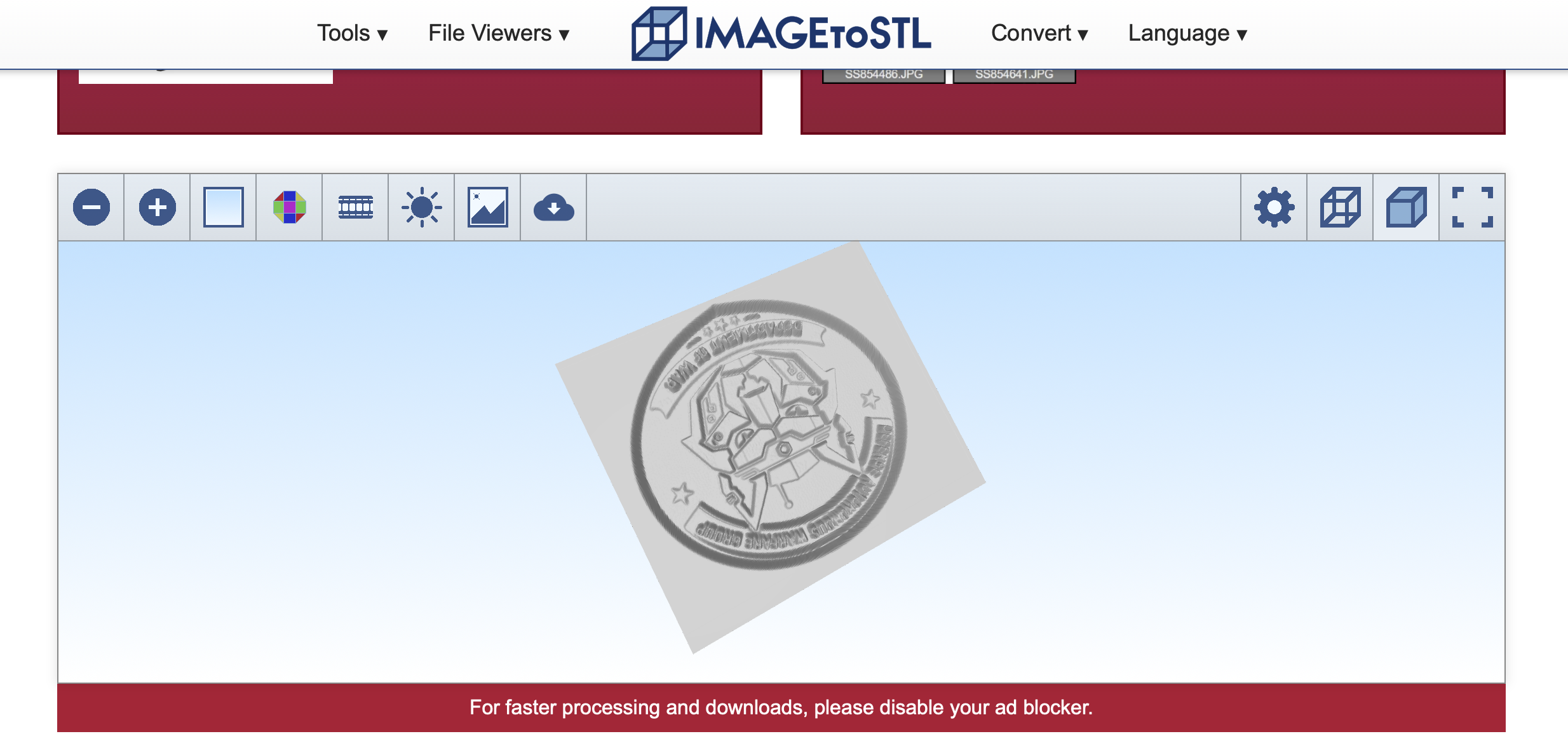
Imagetostl.org is based on taking pictures to STLs, starting at $13 per month. It seems to work for simple pictures.
Hitem3D is esthetically challenged and focused on images, but it says it can make printable files for $10 months a month.
Fast3D is an image and Text-to-STL from $7 per month.
STLBuddy claims a 98% print success rate for its $20 per month for 200 credits service.
MasterpieceX is a scene generation tool more meant for game asset generation.
Magic3D is $10 and includes a file type converting.
Hyper3D’s Rodin is a more visually inclined 3D image generator.
Text2STL is a bit different as it lets you type and make signs and in the like in 3D. Could be helpful if you need a sign fast.
Bambu Lab´s Makerworld Maker Lab has a suite of customization tools.
Remeshy has a better interface than most and lets you look at and remix a gallery of models.
Imagetostl is simple to use, fast, and the quickest tool to get started with for simple files.
Spline is a slick image generator meant for 3D images more than engineering files.
Hugely popular tool Canva also has an STL generator, which is worrying for all the people piggybacking a bit too much on the LLMs.
Vondy doesn’t let you download files, but does explain and give you tips on how to generate files.
Backflip is surprisingly tweakable and fun to play with and works well.
This seems to be the list that’s online right now Are there any more? Let me know once they’re released or if I’ve missed some. I’ll dive deeper into them and test more over the coming months.